
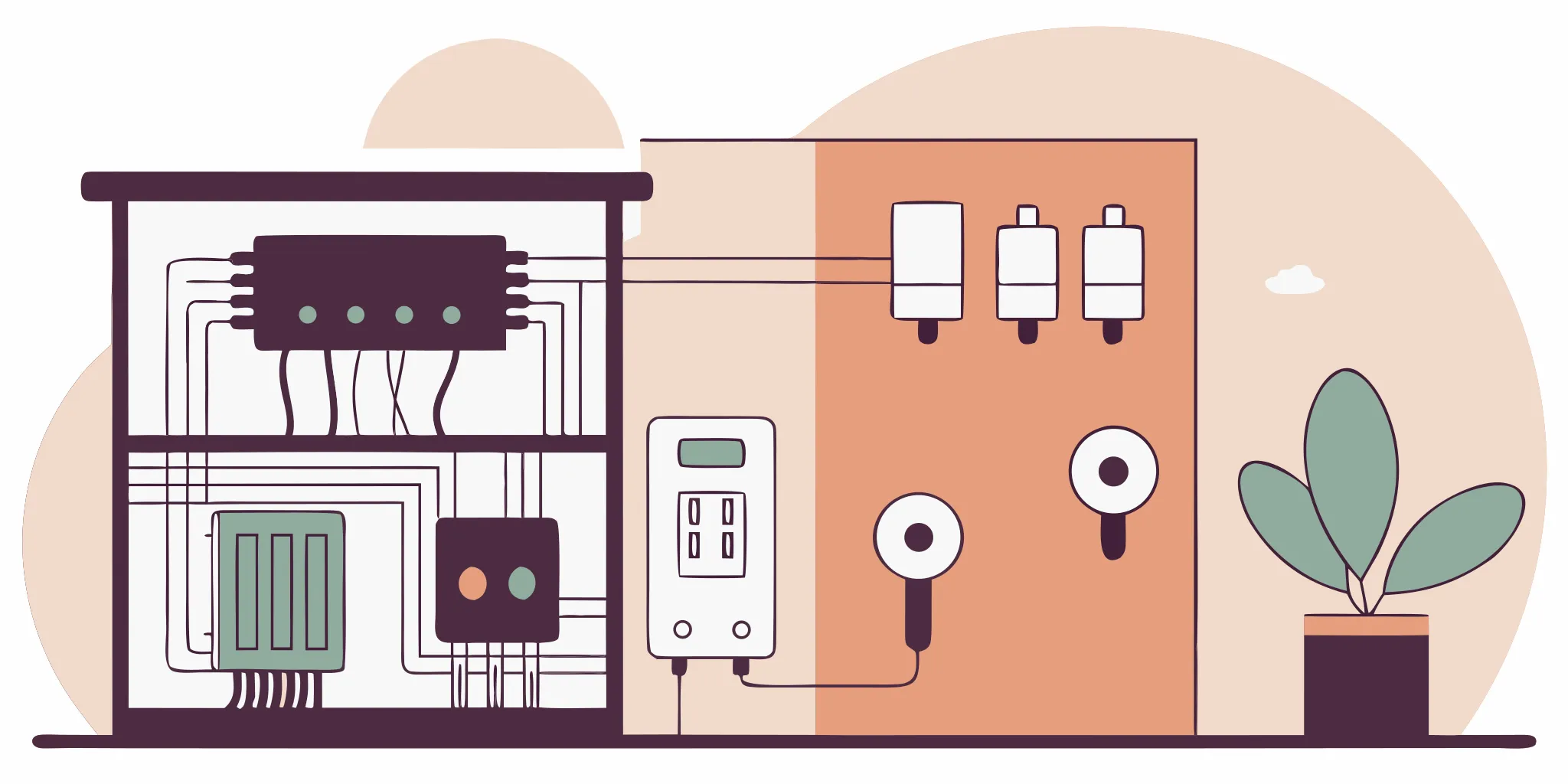
An iPad cannot run a smart home if the house wiring is thirty years old. Most older Florida homes lack the cables needed for modern switches and constant power. Setting up these modern systems needs more than buying wireless gadgets.
Proper smart home wiring is the real foundation that uses Cat6 or Cat6A Ethernet cabling and neutral wires to keep all of your modern smart devices running smoothly. This clean setup gives your system better uptime and stops wireless traffic jams by giving security cameras, smart screens, and voice helpers a direct, high-speed, stable wired line. A robust and safe wiring system is the true foundation for any smart home, making sure all your devices get steady power while meeting local Florida building codes. Having a licensed team run these low-voltage lines apart from high-voltage wires stops signal issues and keeps your Treasure Coast home fully safe from any major fire hazards.
Before you begin buying new smart devices, you must understand the cabling setup your home needs. You might wonder how to plan these upgrades and what wiring does a smart home actually need. To start your project, you should first ask
What Wiring Does a Smart Home Actually Need?
To build a modern smart home that works well, you cannot rely only on wireless signals. Wireless routers get slow when too many devices connect at once. A solid setup needs a strong base of physical wires behind your walls to handle high-speed data and constant power.
High-speed ethernet backbone
The core of your system is the Ethernet cabling. Smart homes need a robust wired foundation, mostly using Cat6 or Cat6A Ethernet cabling for high-speed data. You must also have neutral wires at all switch locations. This wired network carries high-speed signals to your smart devices without lag. While Wi-Fi is great for phones, heavy data tasks need a physical line. These copper cables can handle gigabit speeds easily. They support high bandwidth for 4K video streaming and smart security feeds. When you wire your home, you ensure that every room has a direct link to the web. We recommend setting up a solid base using professional rewiring and smart home wiring infrastructure. Running these lines during a remodel or build will save you from major headaches later.
Neutral wires for smart switches
Your light switches also need the right power wires. Modern smart switches need a neutral wire at every switch location to get constant power and work well. Older homes often only have hot and ground wires in the switch boxes. Without a neutral wire, smart switches cannot stay connected to your network when the lights are off. In older South Florida homes, switches were wired with only two lines. Modern smart switches need a third line to power their internal radios. An expert electrician can run a new neutral line to solve this issue. If you are upgrading your home, a licensed electrician must pull neutral wires to each box. This ensures your smart lights, dimmers, and sensors always have the power they need to stay online.
Structured wiring command center
A structured wiring panel, often called a home-run panel, is a command center where all low-voltage cables terminate for easy management. All your Ethernet lines, coaxial cables, and security wires run back to this single metal box. Putting your network gear here keeps your home neat and clean. Usually, this panel is mounted in a closet, laundry room, or garage. It has power outlets inside to keep your modem and switches running. This layout makes it easy to find and fix any network issues. To keep the system neat, installers follow strict pathway guides like the UNLV network design standards. These guides focus on clear pathways and labeling each cable run. This panel makes it simple to patch, test, or update your system as technology changes over the years.
When setting up this central hub, you must pay attention to how wires are run. You should separate low-voltage wiring for smart homes from high-voltage electrical lines to stop electromagnetic interference. You should never run low-voltage cables and high-voltage power lines in the same wall holes. In fact, running Ethernet parallel to power lines causes data packet loss from electromagnetic interference. Keeping data and power lines apart ensures your smart home network remains fast and reliable.
Cat6, PoE, and Structured Cabling Explained
Building a reliable smart home network starts with high-quality cables. Many people rely entirely on wireless signals, but physical lines offer much better speed and stability. When you plan a new home automation project, you need a strong physical base. Choosing a professional electrician to install a modern smart home wiring infrastructure ensures your devices stay online. This robust setup prevents drops in speed and keeps your family safe from loose, messy wiring. It is the best way to get the most out of your high-tech devices.
Understanding Cat6 and Cat6A Ethernet Cabling
Cat6 and Cat6A are the top choices for smart home data lines. Standard Cat6 cables support high speeds up to ten gigabits over short distances. Cat6A is thicker and handles those high speeds over longer runs without losing signal quality. Hardwired lines are perfect for high-bandwidth tasks like streaming 4K video or gaming. Good planning means you should install more cabling than you need right now. Adding extra lines allows for easy adoption of future tools without tearing up your home. For example, your wireless access points will work much better when they have a direct wired link. Experts agree that WAPs run fastest when they connect to a high-speed wired backbone rather than relying on a wireless repeater.
The Simplicity of Power over Ethernet
Power over Ethernet, or PoE, is a smart way to wire your home. This system sends both power and data through one network line. It is perfect for devices like outdoor security cameras and smart touch screens. With PoE, you do not need to run a high-voltage power outlet to every camera spot. A single low-voltage wire does all the work, which keeps your home neat and safe. When you plan your project, ask your electrician to check for compatible smart home wiring and top smart switch picks. This step ensures your wall controls work without a hitch and can get power directly from your switch lines. PoE simplifies your setup and makes expanding your system easy.
Structured Cabling and Centralized Panels
A structured cabling system brings all your low-voltage lines to one central spot. This hub is called a structured media panel. It acts as the command center for your entire home network. Inside this panel, clean layout and clear labels are key to fast troubleshooting. Using modular jack interfaces in your panel lets you change or upgrade connected devices easily in the future. You can swap a port from a camera to a computer without running new wires through the house. It gives your home a clean, professional finish.
To make future changes even easier, you can install flexible conduit. Often called smurf tube, this empty plastic pipe runs through your walls to key spots. If you want to add a new wire in ten years, you simply slide it through the tube. This method saves you from tearing down drywall. A licensed electrician can run these conduits to your main TV zones, office, and ceiling points. Planning ahead with plastic conduit keeps your smart home ready for any technology that comes next.
Why Every Smart Switch Needs a Neutral Wire
You have probably noticed that many new smart switches need a third wire. That extra line is the neutral wire, and it plays a big role in how your home automation works. This knowledge helps you know what to look for when planning a smart home project.
What a neutral wire does
In a basic switch setup, you have a hot wire that brings power to the switch and a switched wire that runs to the light. When the switch is off, the circuit breaks and power stops at the light. A smart switch, however, is always on. It needs constant power to listen for wireless commands from your phone or voice assistant. The neutral wire provides that steady flow of electricity back to the panel, even when the lights are off. Older homes built before the early 80s often lack this extra neutral at the switch box, which can make it harder to install modern smart controls.
What to do if your home lacks neutral wires
If your switch boxes only have two wires, you have a few options. The safest and most reliable approach is to have a licensed electrician pull new neutral wires to each box. This can cost more than a quick fix, but it guarantees your new switches work correctly. Another option is to buy smart switches that work without a neutral wire. Smart Dimmer switches often use a small trickle of power through the load wire, but they may not work with all types of bulbs. In addition to these power issues, we follow strict safety standards. All electrical equipment must be properly grounded to stay safe in your home, as CDC electrical safety guidelines confirm. Work with a professional who can check your setup and run the right wires for safe and reliable reliable electrical connections for every smart device.
Pre-Wiring for New Construction vs. Retrofitting an Existing Home
Planning your smart home wiring is simple if you do it while building a new house. Running data and power lines during the framing stage is the best way to save on costs. This pre-wiring phase keeps labor costs low because walls are still open.
In older homes along the Treasure Coast, coastal humidity and salt air can corrode old wires. Before you start, you must check your electrical panel capacity and service upgrades to see if your system can handle the load.
Cost differences during construction and retrofits
Adding wires to a built house is called retrofitting. This process costs more because workers must fish cables through finished walls. This work requires cutting drywall, drilling through wood studs, and patching plaster.
It takes more time and raises labor fees. If your home has plaster or lath walls, retrofitting can become difficult and slow down your setup. This is why planning ahead is so important.
A clear view of these paths shows why timing matters. Choosing the right route can impact your budget and your home design. Let us look at the main features of both setup types so you can plan your path.
| Feature | New Construction Pre-Wiring | Retrofitting an Existing Home |
|---|---|---|
| Average Cost | Low; open framing reduces labor costs. | High; fishing wires through walls takes more time. |
| Cable Access | Full access; wires run easily to every room. | Limited access; installers must work around finished walls. |
| Future Upgrades | Simple; easy to install conduit for new technology. | Harder; adding lines requires wall cuts or extra labor. |
| Wall Damage | None; wiring is done before drywall goes up. | Moderate; often requires cutting and patching drywall. |
Conduit systems and cable management
When you plan your project, you should think about future needs. Running flexible conduit, also called a smurf tube, in key spots like TV zones makes future-proofing your cabling much easier. You can pull new cables through these tubes later without cutting your walls.
To ensure your home is ready for future tech, you can set up a modern smart home wiring infrastructure. At the main panel, neat wire layout is also key. Using tidy clips and tagging each line improves both the look and upkeep of your system.
Plenum ratings and fire safety codes
Safety must always come first when running wires. If you run cables through ceiling ducts or air vents, building codes require CMP or plenum-rated wires. These special wires have a fire-safe coat.
This coat helps prevent the spread of fire and toxic smoke in air-handling spaces. To meet standard rules for low-voltage communication systems, you must use approved firestopping to seal any holes where lines pass through walls. This keeps fire from moving between rooms.
Smart Devices and Their Wiring Needs
Every smart device in your home has its own wiring needs. The better you understand these needs, the easier it is to build a system that works without slowdowns or dropouts. A reliable wired backbone supports all these devices better than a purely wireless setup.
Smart lighting systems
Smart lights need stable, low-latency connections to respond instantly when you flip a switch. LED smart bulbs connect to your Wi-Fi or Zigbee network, but the switches controlling them must have neutral wires. Some newer PoE-enabled lighting systems can be powered and controlled over the same Ethernet cable. This significantly simplifies your wiring by delivering both power and data through a single low-voltage line. Compatible smart home wiring and top smart switch picks ensure your lights work without delays.
Security cameras and doorbells
Smart security systems need dedicated cabling backbones to provide reliable, uninterrupted connectivity. PoE cameras are the gold standard for home security. They draw both power and data from a single Cat6 cable running back to your network switch. This means you do not need an electrician to install outlets near your eaves or front door. PoE also keeps your system running even if your Wi-Fi goes down, since the recording stays local. For whole-home security, modern smart home wiring infrastructure ensures all sensors, cameras, and hubs stay connected without interruptions.
HVAC control and thermostats
Smart thermostats need a stable power source, often called a common wire or C-wire. Many new homes have a C-wire running from the furnace to the thermostat. If your home lacks a C-wire, your thermostat may drain its batteries quickly or fail to power the display. An electrician can run a new thermostat wire with extra conductors to solve this issue. Whole-home automation also benefits from a stable, low-latency network, which helps your thermostat talk to other devices. For example, your thermostat could tell your smart blinds to close when the room hits peak temperature, saving you money on cooling.
Entertainment and AV systems
Streaming 4K video and online gaming demand high bandwidth and low jitter. These tasks perform consistently only when supported by wired Ethernet connections. Running Cat6 from your media panel to your TV, gaming console, or streaming box ensures you get the fastest possible connection. This matters even more if you have multiple family members streaming in different rooms at the same time. A wired backbone prevents buffering and lag, making your entertainment experience smooth and reliable.
Power Quality, Surge Protection, and Safety
A robust electrical system is the foundation for any smart home. This setup ensures that your devices receive consistent power without breaking local code rules. A modern smart home wiring infrastructure requires professional planning to protect your electronic assets. My Electrician serves homeowners from Palm Beach Gardens to Vero Beach with expert electrical solutions.
Surge protection on the Treasure Coast
Florida's Treasure Coast has some of the highest lightning risk in the country. Power quality and surge protection are critical parts of a smart home's electrical setup. These tools protect sensitive smart devices from sudden voltage spikes. Constant power issues can also degrade your home network over time.
Without proper protection, a single lightning strike can ruin your smart cameras and hubs. A licensed electrician can install a whole-house surge protector at your main panel. This protects your entire smart home wiring network from external power surges. It is the best way to safeguard your investment.
Grounding for safety and signals
Grounding is another key part of a safe smart home setup. Proper grounding of all electrical and communications systems is needed to protect against electrical faults. It also helps to improve device signal performance, as shown in the UNLV design standards. This reduces electronic noise and interference across your data lines.
In addition, electrical equipment must be properly grounded to maintain safety standards in residential electrical systems. This safety rule is vital for both standard appliances and delicate smart devices. You can learn more about these rules in the CDC guidelines for electrical safety. Our local team ensures every connection meets these high safety standards.
Panel capacity and building codes
Before you add new smart circuits, you must check your electrical panel. Your home needs enough space and power for the extra load. If your current panel is too old or full, you may need electrical panel capacity and service upgrades before proceeding. This step keeps your system safe and prevents overloaded breakers.
For safety and code compliance, all overcurrent protection devices must be legibly marked. This means every circuit breaker and fuse in your panel must clearly show its specific purpose. This makes it easy to find the right switch in an emergency. You can read the CDC checklist to find out how to mark these units.
Finally, you must plan for fire safety when running cables through your home. Proper firestopping measures are required when running communications cabling through walls, floors, and other structural barriers. These barriers prevent fire from spreading between rooms. These safety steps are key parts of any professional smart home wiring project.
Why Professional Electrical Installation Matters for Smart Home Wiring
You may want to set up your own smart tools, but installing the wires is not a safe job for a weekend. Working with home power lines takes licensed skill to avoid shocks and fire. An expert team knows how to run cables and wire smart switches without risk.
Local building codes and safety regulations
A robust electrical system is the base for any smart home. It ensures that devices receive steady power without breaking local code rules. Licensed experts know national and local Florida rules.
They make sure you get the right permits and pass all safety checks. If you run wires without a license, you could face big fines or lose your home insurance.
Future updates and smart cable management
When you plan your smart home, you must think about future changes. Using modular jack interfaces in structured wiring makes it easy to change or upgrade connected devices.
This means you can swap or upgrade tools without ripping out your walls. To make this work, you need a high-quality modern smart home wiring infrastructure. A pro team will set up these jacks and wires so your system can grow with new tech.
A clean setup also makes maintenance much easier. Avoiding cable clutter with cable management accessories makes your panels look great and easy to maintain. A licensed electrician will use ties, racks, and labels to organize every line. This keeps your system safe and easy to check if a problem ever comes up.
Upfront flat-rate pricing and long-term protection
When you work with My Electrician, Inc., you get clear costs and total peace of mind. We use an upfront flat-rate pricing model so you know the exact cost before we start. There are no surprise fees or hourly rate tricks on your bill. We also back all of our parts and labor with a strong two-year warranty.
Our team has worked for 25 years on Florida's Treasure Coast. We are the trusted smart home wiring contractor from Palm Beach Gardens through Vero Beach. Our skilled technicians are full-time employees, not subcontractors. We do the job right the first time to keep your home safe and fully connected.
Frequently Asked Questions
Why is wired smart home infrastructure better than wireless?
Wired systems are much more reliable than wireless options. They stop network bottlenecks and block signal interference. They also give your devices constant power. High speed lines let your devices talk to each other without delays. For the best network performance, the UNLV Wiring Guide shows that wireless access points should use a wired backbone. This keeps your home network working fast.
Do I need neutral wires for smart home switches?
Yes, modern smart switches need a neutral wire at every switch box. Standard switches only cut power, but smart switches must stay on to receive wireless commands. The neutral wire provides this constant path for electricity. If your home was built before the year 1985, you may need a licensed electrician on the Treasure Coast to add these wires. Safety rules from the CDC state that all electrical equipment must also be properly grounded.
What cables are needed for smart home security cameras?
You should use Cat6 or Cat6A Ethernet cables for smart security cameras. These lines support Power over Ethernet. This technology allows a single cable to carry both power and data to your cameras. This means you do not need a separate power outlet near each camera location. Wired connections also stop the signal drops that often happen with wireless cameras. This keeps your home security system running without breaks.
Should I run conduit during smart home pre-wiring?
Yes, you should install flexible plastic conduit in your walls during the framing stage. This conduit is often called smurf tube. It acts as a clear path for future upgrades. If you want to add new cables later, you can pull them through the tube without tearing down your drywall. This simple step makes it cheap and easy to upgrade your technology down the road.
Ready to Upgrade Your Smart Home Wiring?
Leaving your old wiring in place can cause major issues as you add new smart systems. Outdated cables often fail to handle the high power needs of modern automation tools. This can lead to slow network speeds, weak signals, and even hazardous electrical fires. Upgrading your electrical setup now prevents these risks and saves you from costly future repairs. Our certified team will install a strong and safe power foundation for your Florida home. We support all our installations with a solid two-year warranty on parts and labor. We also offer clear, upfront pricing so you never face surprise fees. Working with a licensed expert keeps your system safe and fully up to code.
Ready to upgrade? Schedule Service for your smart home wiring installation to protect your home.